WhatsApp Business Automation: How Indian Businesses Can Automate Customer Conversations
3.png)
14
Oct
WhatsApp Business Automation: How Indian Businesses Can Automate Customer Conversations
Introduction
For many Indian businesses, WhatsApp is one of the first places customers go to ask questions, enquire about products, request quotations, and follow up on services. However, as enquiries increase, managing every conversation manually becomes difficult.
A sales team may miss a follow-up. A customer might wait hours for a response. Important enquiries can get buried beneath routine messages, and business owners may struggle to understand which leads need attention.
This is where WhatsApp Business Automation can help.
WhatsApp automation allows businesses to organise customer conversations, send approved automated messages, manage follow-ups, and streamline repetitive communication using suitable software and the WhatsApp Business Platform.
For businesses that depend on enquiries and ongoing customer communication, automation can make the process more structured without removing the human element.
In this guide, we explain what WhatsApp Business Automation is, how it works, which businesses can benefit from it, and how to choose the right WhatsApp Automation Platform for your requirements.
Official WhatsApp Business API is a solution from Meta that enables businesses to communicate with customers at scale, automate messages and follow-ups, send notifications, and integrate WhatsApp with CRM systems and other business tools.
For more details, visit the official WhatsApp Business
What Is WhatsApp Business Automation?
WhatsApp Business Automation is the use of software, predefined workflows, chatbots, and business messaging tools to handle repetitive customer communication through WhatsApp.
Instead of requiring an employee to manually respond to every routine enquiry, a business can configure automated responses and workflows for specific situations.
For example, when a potential customer enquires about a service, an automated workflow could:
Acknowledge the enquiry.
Ask which service the customer needs.
Collect relevant details with appropriate consent.
Route the conversation to the right team member.
Notifys to the sales team about new leads.
Schedule a suitable follow-up.
Share an approved appointment reminder when required.
The exact capabilities depend on the software, integrations, account configuration, and the WhatsApp messaging rules applicable to the business.
The purpose is not to automate every conversation. It is to reduce repetitive work so that employees can spend more time helping customers, answering complex questions, and closing relevant enquiries.
How Does WhatsApp Business Automation Work?
WhatsApp Business Automation generally combines a business messaging channel with software that manages conversations and triggers predefined actions.
For businesses using the WhatsApp Business Platform, the process typically involves the following steps.
1. Connect Your Business WhatsApp Account
The business sets up or connects an eligible WhatsApp Business Platform account through an appropriate provider.
This enables supported business messaging features and integrations. The setup process, verification requirements, and account eligibility depend on the business and the chosen configuration.
2. Configure Automated Responses
The business identifies common questions and communication scenarios.
These might include:
Business hours and location.
Product or service information.
Pricing enquiries.
Appointment requests.
Order or booking updates.
Requests to speak to a team member.
Responses can be configured around predefined rules, approved templates, menus, or chatbot workflows, depending on the platform.
3. Create Conversation Workflows
A workflow defines what happens after a customer takes a particular action.
For example, a customer enquiring about website development could receive relevant service options. After selecting an option, the workflow could request the business name, project requirements, and preferred contact time before routing the enquiry to the appropriate team.
This helps businesses collect information in a more consistent format.
4. Organise Conversations and Assign Leads
A WhatsApp CRM can help teams manage conversations, organise prospects, and maintain visibility into follow-up requirements.
Depending on its features, the system may support shared inboxes, team assignments, contact records, conversation history, and lead statuses.
This is particularly useful when several employees handle enquiries from the same business account.
5. Monitor and Improve the Workflow
Businesses can review available reports and operational indicators to understand how their messaging process is performing.
Useful measures may include response time, enquiry volume, follow-up completion, appointment bookings, and lead-to-customer conversion.
Automation should be reviewed regularly. A workflow that worked for a small team may need adjustments as the business grows.
WhatsApp Business Automation vs WhatsApp Business App
The WhatsApp Business App and the WhatsApp Business Platform serve different business needs. The right choice depends on conversation volume, team size, integrations, and the level of automation required.
Important: Features vary by product, provider, account setup, and plan. A business should verify current capabilities before selecting a solution.
A small shop that handles a few daily enquiries may be comfortable using the WhatsApp Business App. A real estate agency, education provider, clinic, service company, or sales team managing enquiries across several employees may benefit from a more structured WhatsApp Automation Platform.
Why Do Indian Businesses Need WhatsApp Business Automation?
Customer communication often extends beyond the first message. Businesses may need to answer questions, qualify leads, schedule appointments, send reminders, and reconnect with customers who have requested additional information.
Handling these activities manually can become difficult as enquiry volume increases.
Here are six practical ways automation can support everyday business operations.
1. Respond to Enquiries More Consistently
When a potential customer sends a message, an automated acknowledgement can confirm that the enquiry has been received.
The message can also explain the next step, such as selecting a service, sharing requirements, or waiting for a team member.
This does not guarantee an immediate human response, but it helps set expectations and reduces uncertainty for the customer.
2. Reduce Missed Follow-Ups
Sales opportunities may be lost when employees forget to reconnect with interested prospects.
WhatsApp follow-up automation can help businesses schedule appropriate reminders or trigger messages based on predefined events and customer interactions.
For example, a person who has requested a quotation may receive a relevant follow-up within the configured period, subject to applicable messaging rules and permissions.
The business should also provide a clear way for customers to stop receiving non-essential messages.
3. Organise Leads in a WhatsApp CRM
When enquiries arrive through multiple campaigns or team members, maintaining a clear record becomes important.
A WhatsApp CRM can help businesses organise contacts and track the progress of conversations.
Depending on the solution, teams may categorise leads as:
New enquiry.
Contacted.
Requirements received.
Quotation shared.
Follow-up pending.
Converted.
Not interested.
These categories help employees understand what needs attention instead of searching through long chat histories.
4. Automate Frequently Asked Questions
Customers often ask similar questions about pricing, availability, services, eligibility, opening hours, and booking procedures.
A WhatsApp chatbot can provide predefined answers or guide customers through a menu of options.
For example:
Customer: Hi, I want to know what are your services?
Automated response: Welcome! What would you like to know more about?
Website development
Digital marketing
WhatsApp Business Automation
Speak to our team
The customer can select an option and receive relevant information or be connected to the appropriate employee.
Automated responses should be accurate, easy to understand, and designed to transfer complex enquiries to a human when necessary.
5. Coordinate Multiple Team Members
Businesses with sales, support, and operations teams need a reliable way to manage customer conversations.
A platform with multi-agent live chat and conversation assignment can help authorised employees work from a shared system, subject to the provider's features.
This can reduce duplicated responses and improve visibility into which team member is handling an enquiry.
For growing businesses, centralised conversation management can be more practical than relying entirely on individual employees' chat histories.
6. Run More Structured WhatsApp Campaigns
WhatsApp Marketing Software can help businesses organise approved business messaging campaigns for eligible audiences.
Depending on the platform and the message type, businesses may use campaigns for relevant announcements, requested updates, reminders, or promotional communication.
Campaigns must follow WhatsApp's applicable policies, including consent and template requirements where relevant. Businesses should not treat every phone number in their database as permission to send promotional messages.
Good campaign practices include sending relevant content, avoiding excessive frequency, respecting opt-outs, and measuring meaningful outcomes rather than focusing only on message volume.
What Is WhatsApp CRM, What Is Difference Between WhatsApp Chatbot?
Both terms related, but different problems are solved by them
WhatsApp CRM
A WhatsApp CRM helps businesses organise customer information and manage conversations as part of their sales or support process.
Its role may include contact management, lead assignment, conversation history, follow-up tracking, and integration with other business systems.
Think of it as the system that helps the team understand who the customer is and what needs to happen next.
WhatsApp Chatbot
A WhatsApp chatbot interacts with customers using predefined conversation flows or, where supported, more advanced AI-based responses.
It may answer common questions, collect information, present service options, and guide customers towards the next step.
Its role is primarily to automate parts of the conversation.
WhatsApp Automation Platform
A WhatsApp Automation Platform can bring messaging, workflows, team collaboration, and other business functions together. Depending on the product, it may combine chatbot functionality and CRM-related features in one interface.
Businesses should compare actual features rather than assuming that every platform includes a complete CRM, AI chatbot, or every possible integration.
Practical WhatsApp Business Automation Examples for Indian Businesses
The best automation workflow depends on how a business attracts customers and what happens after the first enquiry.
Here are five practical examples.
Real Estate: Property Enquiry Management
A prospective buyer sees a property advertisement and sends a WhatsApp message.
An automation workflow could:
Acknowledge the enquiry.
Ask whether the person is interested in buying, renting, or investing.
Collect preferred location and budget, where appropriate.
Route the enquiry to a relevant sales representative.
Help the team track the next follow-up.
Business benefit: The sales team receives more structured enquiries and can prioritise conversations based on the information provided.
Clinics and Healthcare: Appointment Enquiries
A clinic may receive repeated questions about consultation timings, appointment availability, and location.
A suitable workflow could share approved administrative information, guide users towards appointment requests, and send permitted reminders.
Business benefit: Staff may spend less time answering repetitive administrative questions.
Healthcare businesses should protect patient information and avoid collecting unnecessary sensitive details through automated chat flows.
Education and Coaching: Course Enquiries
An institute can use a chatbot to help prospective students explore courses, delivery formats, schedules, and enrolment procedures.
The workflow may collect basic enquiry details and route interested students to an admissions counsellor.
Business benefit: Counsellors can focus on relevant enquiries instead of manually responding to every routine question.
E-commerce: Order and Customer Support
An online store may use supported integrations to provide order updates, answer frequently asked questions, or direct customers to return and support processes.
The information displayed must come from a reliable source and should reflect the customer's actual order status.
Business benefit: Customers have a more structured way to find information without always waiting for a support representative.
Service Businesses: Lead Qualification and Follow-Ups
A website development company, digital marketing agency, or other service provider can automate the first stage of an enquiry.
For example, the workflow may ask about the required service, project timeline, and preferred consultation time before passing the details to a salesperson.
Business benefit: The team can begin conversations with clearer context and fewer repetitive questions.
How to Choose the Right WhatsApp Automation Software
Selecting software based only on the number of features can lead to unnecessary complexity. Start with the communication problems your business actually needs to solve.
Consider the following factors before choosing a WhatsApp Business Automation solution.
1. Official WhatsApp Business Platform Support
Verify how the provider connects your business to WhatsApp and whether the proposed setup meets the applicable platform requirements.
Understand account ownership, onboarding, messaging permissions, and any additional fees.
2. Workflow Builder and Chatbot Features
Check whether the software lets you build workflows for your real use cases.
Examples include lead qualification, appointment requests, enquiry routing, and follow-up reminders.
Ask whether the workflow can be edited without developer support if that matters to your team.
3. Shared Inbox and Agent Management
If multiple employees handle customer conversations, check for shared inbox functionality, agent assignment, access controls, and conversation visibility.
Also confirm how the platform manages team access when employees join or leave.
4. CRM and API Integrations
Consider whether the system connects with your existing CRM, website, forms, or other business applications.
API access can be valuable for custom integrations, but businesses should confirm documentation, technical requirements, and any usage restrictions before committing.
5. Campaign Management and Compliance
If campaigns are important to your business, verify audience management, template handling, consent records, opt-out processes, and available delivery reporting.
Do not assume that a software provider's campaign feature removes your responsibility to follow applicable messaging rules.
6. Pricing and Message Charges
Review the total cost rather than just the subscription fee.
Depending on the provider and setup, expenses may include:
Software subscription.
WhatsApp platform or message charges.
Onboarding or implementation.
Optional integrations.
Additional users or premium features.
WhatsApp pricing and provider plans can change. Confirm the current rates and billing terms before making a decision.
7. Support, Security, and Scalability
Check the provider's support process, data handling practices, access controls, and ability to accommodate your expected message volume.
Choose a solution that matches your current needs while allowing you to expand workflows as your business grows.
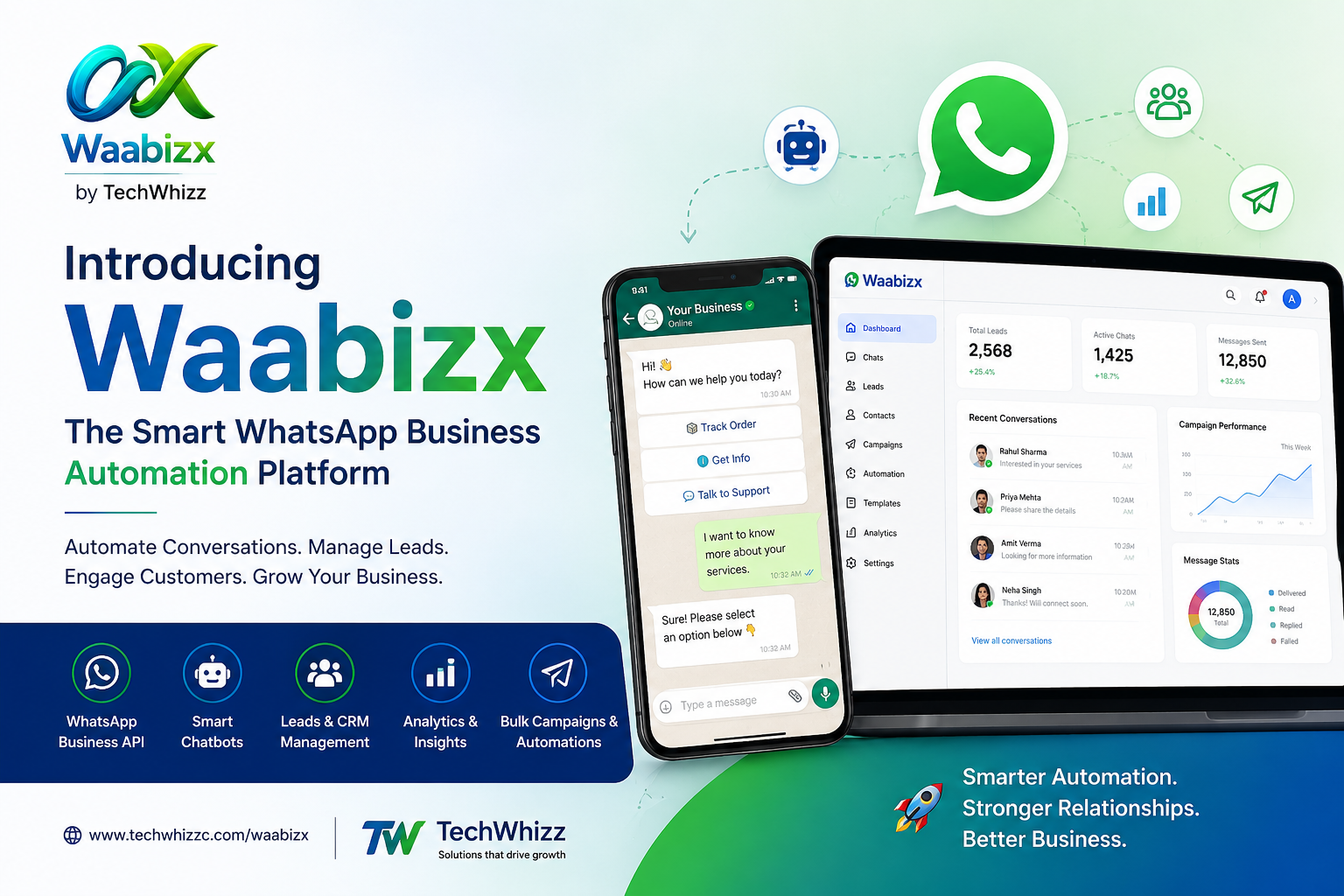
Meet WaaBizX: WhatsApp Business Automation by TechWhizzC
For businesses looking to structure WhatsApp conversations, WaaBizX by TechWhizzC is a WhatsApp Business Platform solution designed to support business messaging and automation workflows.
Instead of treating WhatsApp as a collection of individual chats, businesses can explore a more organised approach to managing customer conversations and follow-ups.
Depending on the selected configuration and features, WaaBizX can support business workflows involving:
WhatsApp Business Platform onboarding: Set up the business messaging environment with the applicable onboarding requirements.
Automated workflows: Build structured conversation flows for common enquiries and business processes.
Campaign management: Organise business messaging campaigns using supported features and applicable WhatsApp rules.
Multi-agent live chat: Help team members manage customer conversations in a shared environment.
Contact management: Organise customer and prospect information for relevant communication.
Developer API access: Explore integrations with other business systems where supported by the plan and technical setup.
These capabilities can be useful for businesses that receive enquiries through digital campaigns, websites, social media, or existing customer channels.
The right configuration depends on your workflow, team size, integration requirements, and messaging needs. Confirm the current plan details and applicable message charges with the WaaBizX team.
Who Can Benefit from WaaBizX?
WaaBizX may be worth exploring if your business:
Receives more enquiries than your team can comfortably manage manually.
Needs a more consistent process for lead follow-ups.
Has multiple employees responding to customer messages.
Wants to organise WhatsApp campaigns and customer conversations.
Needs to connect business messaging with supported workflows or integrations.
You do not need to automate every customer interaction. Start with one repetitive process, evaluate its results, and expand only when it makes operational sense.
Want to see how WhatsApp Business Automation could fit your business?
Explore WaaBizX and request a demo to discuss your enquiry management, workflow, and team communication requirements.
What Mistakes to Avoid When we are Automating WhatsApp
Automation can improve consistency, but poorly designed workflows may create a frustrating customer experience.
Avoid these common mistakes.
Sending Messages Without Appropriate Permission
Having a customer's phone number does not automatically mean you have permission to send every type of WhatsApp message.
Follow applicable consent requirements, platform policies, template rules, and opt-out expectations.
Automating Every Conversation
A chatbot should help a customer to reach a person and not other way around.
Provide a clear route to human assistance, particularly for complaints, complex questions, and situations requiring individual judgement.
Creating Long, Complicated Chatbot Menus
Customers should not need to navigate numerous options to reach a relevant answer.
Keep the first set of choices short, use plain language, and offer a suitable next step.
Ignoring the Quality of Follow-Ups
Repeated generic reminders can annoy customers and damage trust.
Use relevant timing and context, stop unnecessary follow-ups when the customer responds or opts out, and review the workflow regularly.
Measuring Activity Instead of Outcomes
The number of messages sent does not necessarily show whether automation is helping the business.
Where reliable tracking is available, assess response time, follow-up completion, qualified enquiries, appointment bookings, and conversion rates.
Failing to Review Automated Responses
Incorrect pricing, outdated availability, and inaccurate service information can create problems at scale.
Assign responsibility for checking important responses and updating workflows when business information changes.
How to Get Started with WhatsApp Business Automation
You do not need to redesign your entire customer communication process at once.
Follow these practical steps to begin.
Step 1: Identify one recurring problem. Choose a task such as acknowledging new enquiries, answering routine questions, or reminding the team about pending follow-ups.
Step 2: Map the current customer journey. Document what happens when a customer sends a message, what information the team needs, and where delays occur.
Step 3: Choose a suitable platform. Compare the required WhatsApp features, team collaboration tools, integrations, pricing, and support.
Step 4: Build a simple workflow. Start with a short acknowledgement, a few relevant options, and a clear route to the right team member.
Step 5: Test before expanding. Review the messages, routing, permissions, and exception handling using appropriate test scenarios.
Step 6: Measure the results. Compare performance against your original problem and adjust the workflow based on customer and team feedback.
A small, well-designed workflow is often a more practical starting point than a complicated system that the team struggles to maintain.
Frequently Asked Questions About WhatsApp Business Automation
1. What is WhatsApp Business Automation?
WhatsApp Business Automation uses software, predefined rules, chatbots, and workflows to manage repetitive business communication. It can help with enquiry acknowledgements, FAQs, lead routing, reminders, and supported follow-up processes.
2. How can businesses automate WhatsApp messages?
Businesses can use appropriate tools linked to the WhatsApp Business Platform. They can configure approved templates, predefined responses, workflow triggers, and integrations based on their communication requirements and applicable messaging rules.
3. What is the difference between WhatsApp Business and WhatsApp Business API?
The WhatsApp Business App is designed for businesses managing conversations through the app. The WhatsApp Business Platform provides infrastructure for supported business messaging integrations and more advanced workflows. Third-party software may provide a user interface, chatbot, CRM features, and campaign management on top of the platform.
4. Is WhatsApp Business Automation suitable for small businesses?
Yes. Small businesses can benefit when they regularly handle enquiries, repeat questions, bookings, or follow-ups. The best starting point is a workflow that solves a clear problem without adding unnecessary complexity or expense.
5. Can WhatsApp automation help generate leads?
It can support lead generation by acknowledging enquiries, asking relevant qualifying questions, collecting appropriate details, and routing prospects to a sales team. Actual lead quality and conversion depend on the offer, audience, workflow, and sales process.
6. What is a WhatsApp CRM?
A WhatsApp CRM helps businesses organise customer contacts and conversations, track leads, manage follow-ups, and coordinate sales or support activities. The exact capabilities depend on the software.
7. Is WhatsApp Chatbot the same as WhatsApp Business Automation?
No. A chatbot handles part of a conversation with a customer. WhatsApp Business Automation can be larger workflows such as routing, reminders, campaign management, CRM updates and integrations. One component of an automation system could be a chatbot.
8. Is WhatsApp Business Automation free?
Costs depend on the tools and setup used. Basic app features may be available without a separate software subscription, while advanced automation software, integrations, and WhatsApp messaging can involve charges. Always check current provider pricing and applicable WhatsApp fees.
9. Can multiple employees manage WhatsApp conversations?
Yes, suitable WhatsApp Business Platform solutions can support multi-agent conversation management. The available features, user limits, permissions, and assignment options vary by provider and plan.
10. Which WhatsApp Automation Platform To Choose For a Buiness?
Choose a platform based on your primary use case, official platform support, workflow builder, team inbox, CRM integrations, reporting, security, support, and total cost. Businesses interested in WaaBizX can request a demo to discuss their requirements.
Conclusion
WhatsApp Business Automation helps businesses move from manually handling every message towards a more organised customer communication process.
With suitable workflows, businesses can acknowledge enquiries, answer common questions, organise leads, coordinate teams, and manage follow-ups more consistently. The results depend on the quality of the workflow, the relevance of the communication, and the team's ability to respond when human assistance is needed.
For Indian businesses that rely on WhatsApp for sales and customer support, the practical starting point is simple: identify one repetitive task, automate it responsibly, and measure whether it improves the customer experience.
If you want to explore how these workflows could work for your business, book a demo with WaaBizX by TechWhizzC and discuss a setup that fits your communication needs.
Explore: https://waabizx.com/
.png)
.png)



.png)


1.png)
2.png)
2.png)
.png)